
Streaming Sticks, Set-Top Boxes, and Smart TVs: Choosing the Right Path

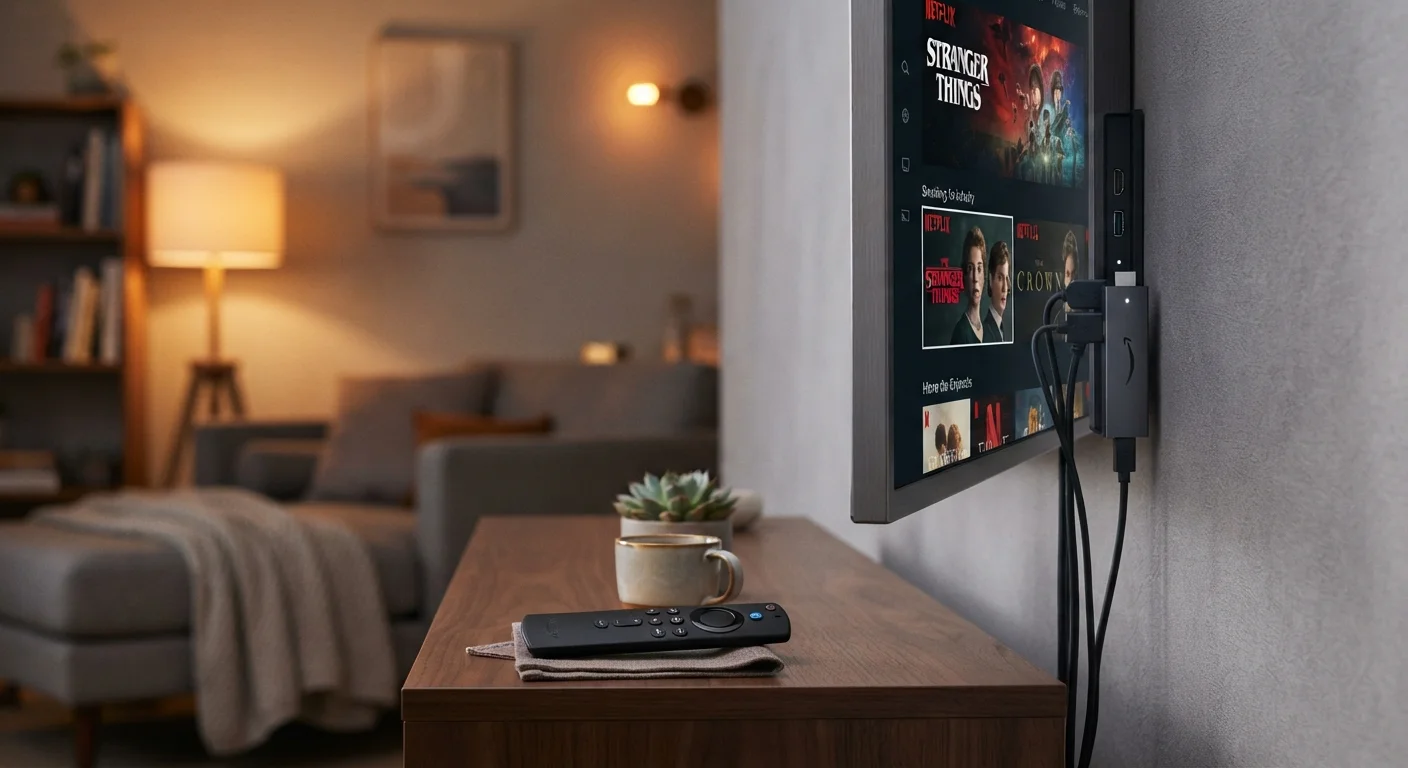
Photo: everyday-trends.com editorial
Key Takeaways
- Smart TVs have built-in apps but their software often lags behind dedicated streaming hardware over time.
- Streaming sticks are the lowest-cost entry point and work well on older televisions.
- Set-top boxes generally offer more processing power and longer software support than sticks.
- For most households on a tight budget, a streaming stick is sufficient for everyday use.
- Subscription costs matter more than device cost over a typical two-to-three year ownership period.
What you are actually choosing between
Three hardware paths exist for watching streaming video at home: the built-in software on a smart TV, a streaming stick plugged into an HDMI port, or a set-top box that sits near the television. Each puts apps like Netflix or Hulu on your screen, but the hardware behind them differs in cost, speed, and how well it holds up after two or three years of use.
Smart TVs include a processor and operating system baked into the panel itself. Streaming sticks are small dongles that hang from an HDMI port and draw power from a USB connection. Set-top boxes are standalone units with their own power supply, typically more processing headroom, and in some cases local storage or physical inputs. If you are new to connected home devices, understanding these distinctions prevents overspending on features you will never use.
Smart TV built-in apps: convenience with a shelf life
The appeal is obvious: no extra hardware, no extra remote, and everything is ready when you turn the TV on. Many smart TV platforms also support voice control and integrate with home automation setups.
The limitation is that the processor and RAM inside a TV are fixed at the time of manufacture. App developers update their software continuously, and a television's built-in system can struggle to keep pace after three to four years. Slow menu navigation, app crashes, and missing features become more common over time. Television manufacturers also vary in how long they provide OS updates, and support timelines are rarely advertised clearly at purchase.
Another practical issue: if you dislike the smart TV platform on your panel, you cannot swap it. You are locked into whatever the manufacturer shipped. This matters because the quality of smart TV software varies considerably across brands and model years.
| Smart TV apps | Streaming stick | Set-top box | |
|---|---|---|---|
| Typical upfront cost | Included with TV | Under $50 | $50 to $150+ |
| Processing power | Fixed, often modest | Low to moderate | Moderate to high |
| Replaceability | Cannot replace software | Swap in minutes | Swap in minutes |
| 4K HDR support | Varies by model | Available on higher tiers | Available on most models |
| Wired Ethernet option | Rare | Rare | Common |
| Long-term software support | Varies, often limited | Manufacturer-dependent | Generally longer |
| Setup complexity | Minimal | Low | Low to moderate |
Streaming sticks: low cost, easy to swap
A streaming stick costs a fraction of what a new television costs and can turn any display with an HDMI port into a capable streaming device. Setup takes a few minutes, and if the device slows down or a better platform becomes available, replacing it means spending under $50 rather than buying a new TV.
Sticks share the same limitation as budget phones: modest processors and limited RAM mean performance under load can stutter, particularly with 4K content or heavy multitasking. For standard HD streaming on a single app at a time, most current-generation sticks handle the job without noticeable issues.
If you are using an older television that predates smart features, a streaming stick is almost always the right call. Used sticks can be a reasonable purchase, though resetting the device to factory settings before use is worth the few minutes it takes.
Set-top boxes: more power, higher price
Set-top boxes sit at the top of the price range among external streaming devices, but they generally include faster processors, more RAM, and better thermal management than sticks. The practical result is quicker app loading, smoother 4K playback, and a longer window before the hardware feels dated.
Some set-top boxes also offer features that sticks do not: physical Ethernet ports for a wired internet connection, Bluetooth audio output, local file playback, or compatibility with gaming controllers. These extras matter to some households and are irrelevant to others.
For most families whose main activity is watching streaming services, the performance gap between a current-generation stick and an entry-level set-top box is noticeable but not dramatic. The case for a set-top box strengthens if you stream frequently in 4K, have a slower or congested Wi-Fi connection where Ethernet would help, or want the device to remain usable for four or five years without replacement.
Whichever device you settle on, the subscription costs you carry will almost certainly exceed the hardware cost over any two-year span. Auditing those subscriptions periodically can save more money than optimizing the device itself.
Connectivity and setup considerations
All three options need a Wi-Fi connection or, where available, a wired Ethernet connection. Smart TVs and most sticks are Wi-Fi only. Set-top boxes with physical Ethernet ports are worth considering if your router is in the same room as your television, since a wired connection eliminates one common source of buffering.
HDMI version matters if you plan to use 4K HDR content. Most current devices support HDMI 2.0 or higher, which handles 4K at 60 frames per second. The cable itself is rarely the bottleneck: a standard HDMI cable does the same job as a premium one for digital signals at these resolutions.
Remote controls also differ. Smart TV remotes often consolidate streaming shortcuts with TV controls. Sticks typically ship with compact dedicated remotes. Set-top boxes vary, with some supporting universal remotes through HDMI-CEC, a protocol that lets one remote operate multiple connected devices.
The content provided on our blog site traverses numerous categories, offering readers valuable and practical information. Readers can use the editorial team’s research and data to gain more insights into their topics of interest. However, they are requested not to treat the articles as conclusive. The website team cannot be held responsible for differences in data or inaccuracies found across other platforms. Please also note that the site might also miss out on various schemes and offers available that the readers may find more beneficial than the ones we cover.