
Electronics You Can Confidently Buy Used (and a Few You Should Not)

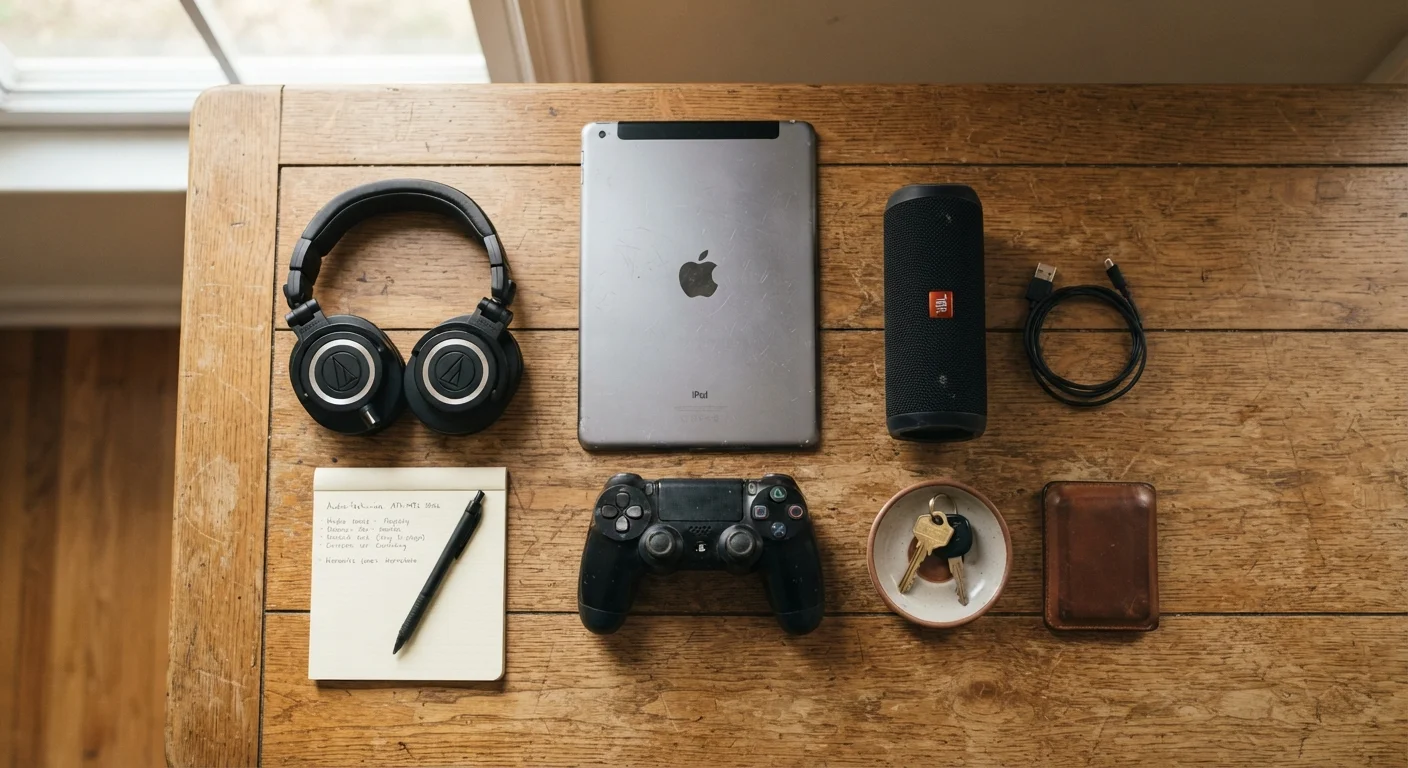
Photo: everyday-trends.com editorial
Key Takeaways
- Mechanical wear and battery degradation make some used electronics a poor investment.
- Streaming devices and game controllers are generally low-risk secondhand purchases.
- Smartphones and laptops require careful inspection before buying used.
- Avoid used safety-critical devices like baby monitors and smoke detectors.
- Checking software support timelines is as important as checking physical condition.
How to think about used electronics
Used electronics can cut costs meaningfully, but the category is not uniform. Some devices wear out in ways that are easy to spot; others degrade silently. The right question is not whether buying used is generally smart, it is whether the specific type of device you are considering ages predictably and can be meaningfully tested before you commit.
The items below fall into two broad camps: devices where the risks are manageable with basic inspection, and devices where the hidden failure modes or safety implications make used a poor choice regardless of price. For a wider look at where secondhand purchasing tends to pay off and where it does not, see when buying used genuinely saves money.
Software support is a hidden expiration date
The breakdown: what works and what does not
Streaming sticks and set-top boxes: generally safe
Streaming sticks and set-top boxes have no moving parts and minimal wear points. They either work or they do not, which makes a quick functional test before purchase straightforward. Connect it to a TV, log in, and confirm the interface responds normally.
The main risk is software. Check that the device still receives firmware updates from the manufacturer. A model several generations old may have lost support and could leave you with a slow, insecure device. Compare streaming device options to understand which platforms still receive active updates.
Streaming sticks have no moving parts, so a quick functional test tells you almost everything.
Wired and passive speakers: low risk if physically intact
Passive speakers (the kind that need a separate amplifier) age well when stored and handled properly. There are no batteries to degrade and no firmware to go stale. Listen for distortion at low and mid volume, check that the tweeter and woofer both produce sound, and inspect the cone and surround for tears.
Powered desktop speakers carry slightly more risk because the built-in amplifier can fail, but they are still a reasonable used purchase at a significant discount from retail.
Passive speakers with no visible damage can outlast many devices bought new.
Game controllers: good used buys with one caveat
Controllers are consumables for most gaming households, yet they hold up well when the previous owner was not unusually rough. Test every button, both analog sticks for drift, rumble function, and wireless connectivity. Stick drift (where the on-screen view moves without input) is the most common failure mode and is not always visible during a casual inspection.
Battery-powered controllers have rechargeable cells that degrade over time. A controller that only lasts an hour on a full charge may need a battery replacement, which is a small extra cost worth factoring into the price you pay.
Test analog sticks for drift before agreeing on a price for any used controller.
Laptops: proceed carefully and inspect thoroughly
A used laptop can deliver real value, but the inspection list is longer than for simpler devices. Battery health is the first concern: a heavily cycled battery may hold only a fraction of its original capacity. Most operating systems include a battery report tool that shows current capacity versus design capacity.
Also check for keyboard issues, screen discoloration or dead pixels, port functionality, and whether the chassis shows signs of a drop. Fan noise at idle can indicate thermal paste degradation or dust buildup. Review the full checklist for refurbished laptops before committing to any purchase.
Battery capacity is the single most telling indicator of a used laptop's remaining useful life.
Smartphones: worthwhile but verify activation lock status
Used smartphones are popular for good reason: the savings can be substantial compared to buying new. The critical check is activation lock status. Both major mobile platforms include a remote lock feature (Find My on iOS, Find My Device on Android) that can permanently disable a phone if the previous owner's account remains linked. Always verify the device is fully signed out before handing over money.
Battery health, screen condition, and whether the device still receives security updates are the next priorities. A phone that has aged out of software support is a security liability regardless of how good the hardware looks.
An activation lock check must happen before you pay, not after.
Wireless earbuds and headphones: mixed results
Over-ear headphones with replaceable ear pads and no battery (wired, passive models) are solid used purchases. Wireless earbuds are a different calculation. The small lithium cells inside degrade quickly with heavy use, and they are usually not replaceable by the owner. A set of earbuds that charges to full in 45 minutes instead of the original 90 may only last a year before the case battery becomes the bottleneck.
If you buy used wireless earbuds, test total playback time, not just whether they turn on and pair. A price that does not account for battery wear is not the deal it appears to be.
Wireless earbud battery cells degrade silently; test total playback time before buying.
Safety-critical and hygiene-sensitive devices: skip the used market
Baby monitors, smoke and carbon monoxide detectors, and medical alert devices should always be purchased new. These are categories where an undetected fault carries real consequences, and the purchase history of a used unit is rarely verifiable. Detector sensors have published service lives, and a used unit may be close to or past that limit without any external indication.
Personal hygiene devices (electric toothbrushes, epilators, electric shavers) are also better bought new. Replacing the head or attachment does not fully sanitize the motor unit, and the cost difference rarely justifies the trade-off.
No secondhand savings justify buying a used smoke detector or baby monitor.
Test before you pay, every time
What to keep in mind across all categories
Battery health, software support status, and physical inspection cover the majority of used electronics risk. Devices that lack all three checkpoints (no battery, no ongoing software dependency, and physically testable function) are generally the safest secondhand purchases. Devices that fail on two or more of those counts deserve extra scrutiny or a pass entirely.
If smart home devices are part of your household budget, note that used smart speakers and hubs carry similar software-support considerations to smartphones. Starting with smart home devices from new or certified-refurbished sources reduces the chance of buying hardware that a platform has already abandoned. The same logic that applies to used electronics applies across other large purchases: weighing certified pre-owned against new involves comparable trade-offs between upfront cost and verifiable condition.
The content provided on our blog site traverses numerous categories, offering readers valuable and practical information. Readers can use the editorial team’s research and data to gain more insights into their topics of interest. However, they are requested not to treat the articles as conclusive. The website team cannot be held responsible for differences in data or inaccuracies found across other platforms. Please also note that the site might also miss out on various schemes and offers available that the readers may find more beneficial than the ones we cover.